One app for every customer conversation
Calls, texts, email and team chat in a single window, with Oly writing the notes after every recorded call. Contacts, tasks and calendar sit in the same sidebar, so nothing lives in a second app.
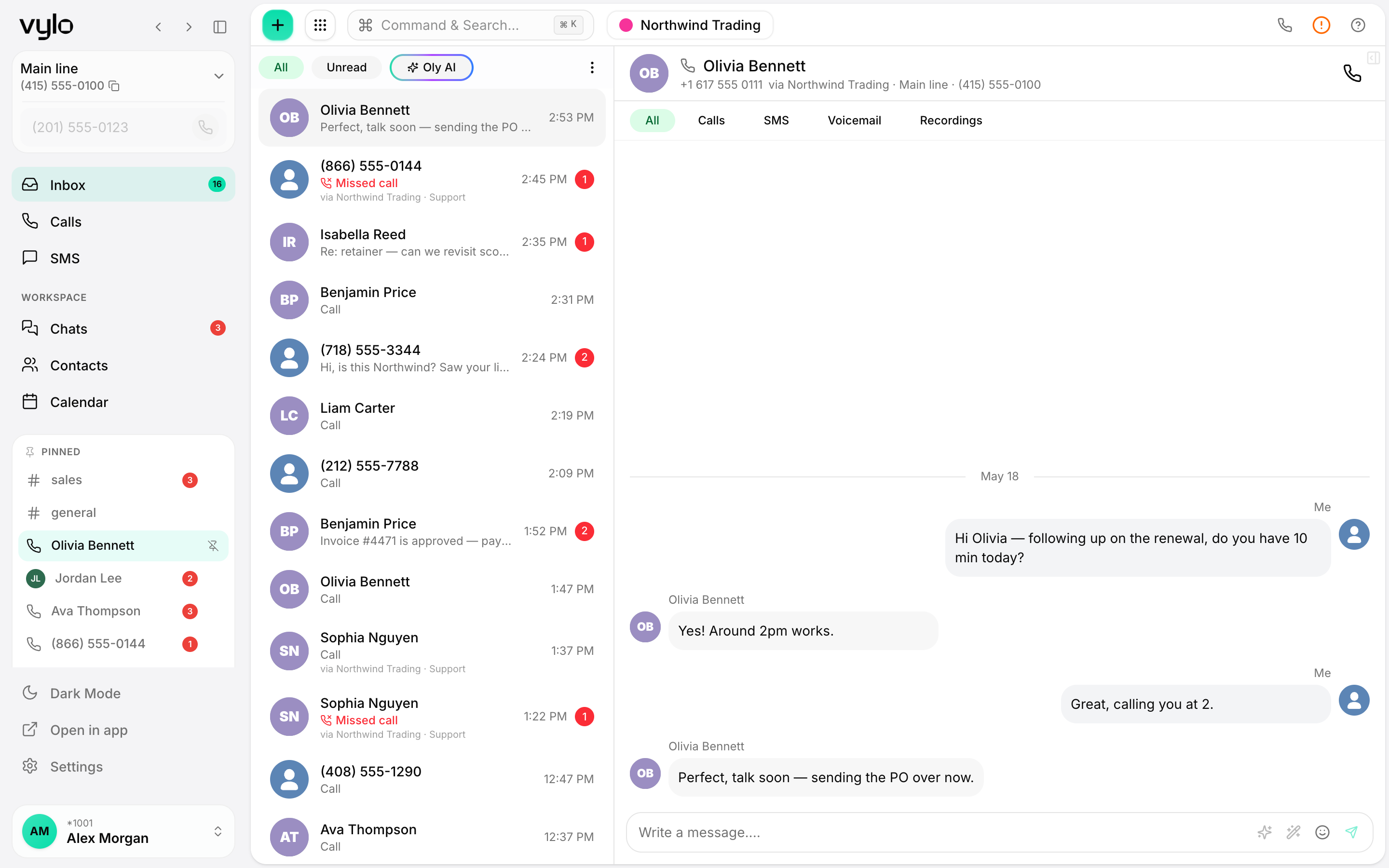
Every part of Vylo, on its own page
Each one has its own page. Pick the one you came for, or keep scrolling for the tour.
A phone system your whole team can answer
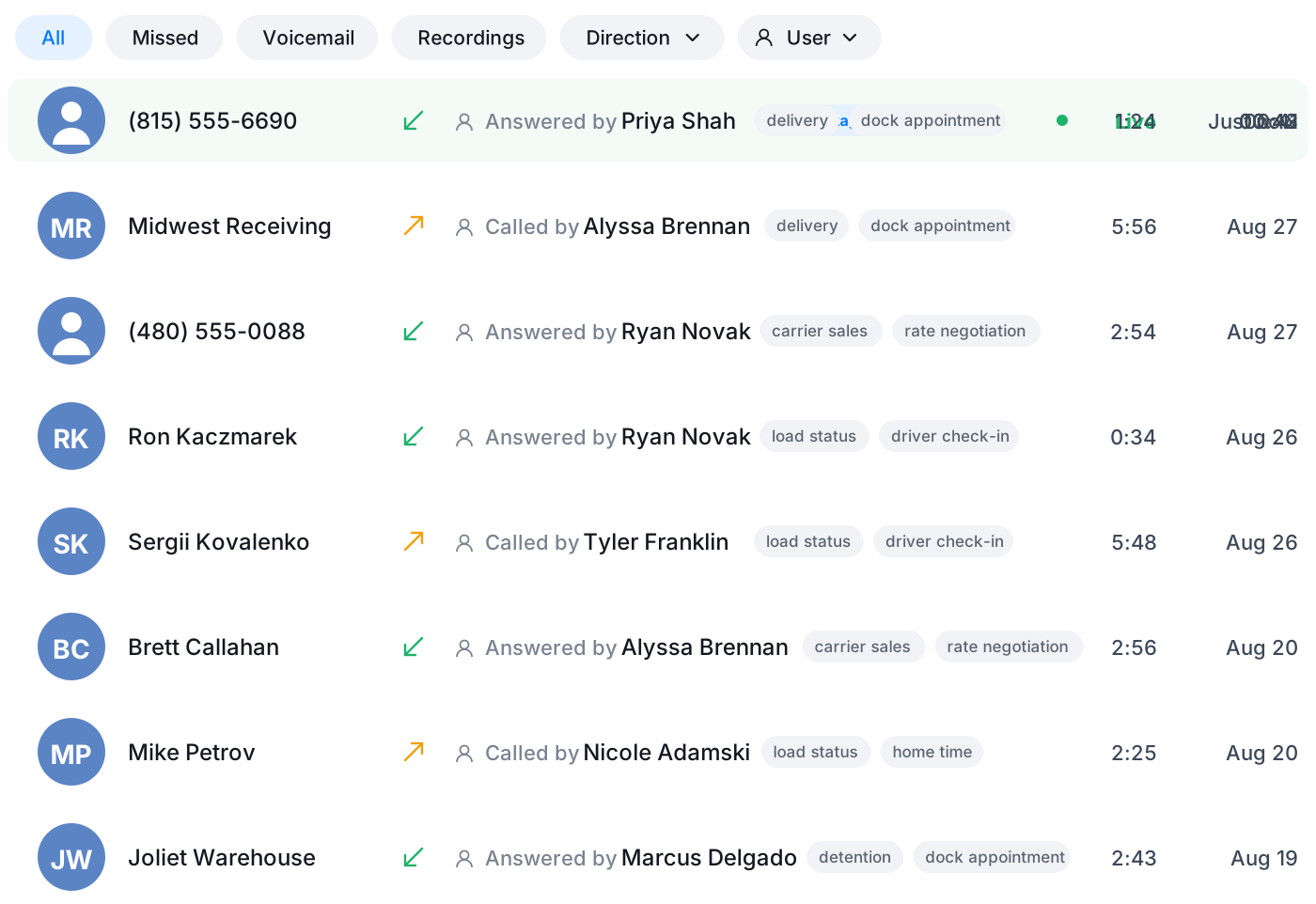
Make and take calls on your business numbers from desktop and mobile. Recording switches on per number, answered calls are saved against the contact, and voicemails arrive transcribed.
- Calls on your own numbersInbound and outbound calling with hold, mute and transfer to a teammate.
- Routing that fits your hoursGreet callers, offer a short menu, and send each option to the right person or team.
- Voicemail you can readMissed calls land in the thread with the audio and a transcript underneath.
The notes are written before you hang up
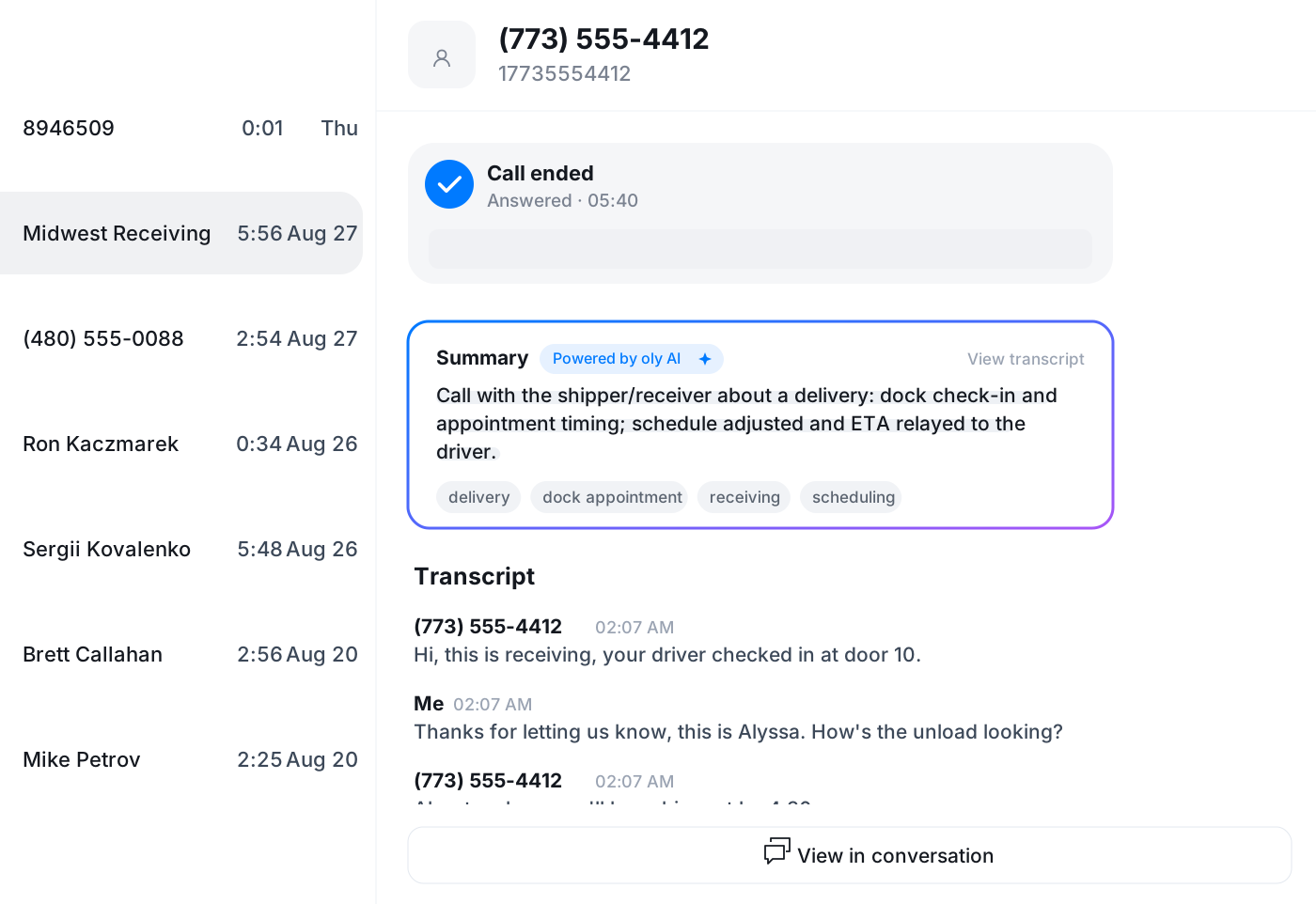
Oly Agents pick up on your numbers and follow the instructions you wrote. When a recorded call ends, Oly writes a short summary into the conversation, keeps the full transcript underneath and tags what the call was about.
- Call summariesA few lines on what was discussed and what happens next, in the thread.
- Searchable transcriptsSearch for a price, a name or a date and jump to the call it came up on.
- Topic tagsBilling, scheduling, pricing. Oly labels each call so you can filter by subject.
Texts and calls in one shared inbox
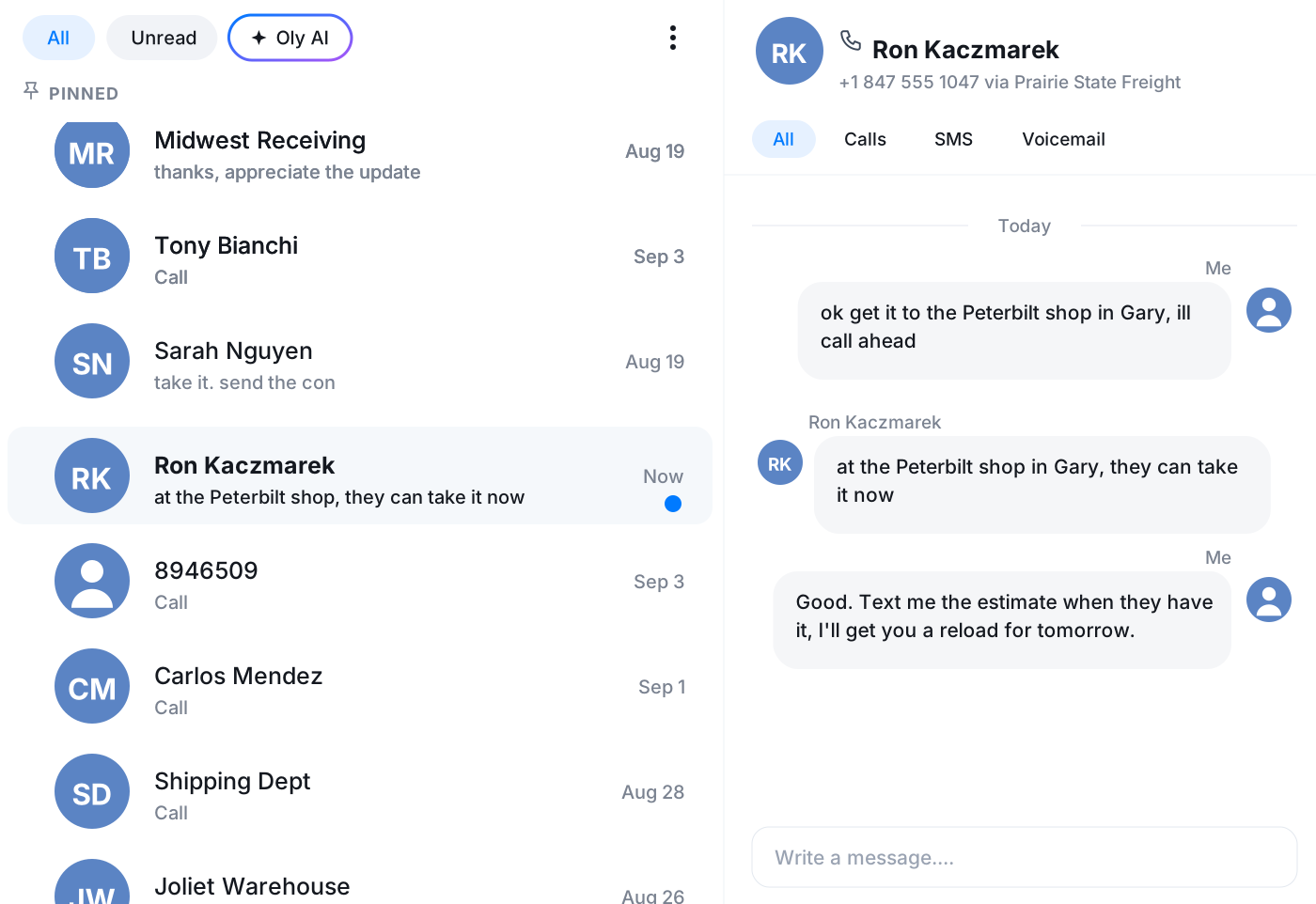
Send and receive texts and picture messages from the number you call on. Every call and text with a contact sits in a single, ordered conversation the whole team can see and pick up.
- SMS and MMSTwo-way texting with photos, and a delivery status on every message.
- One thread per contactCalls, texts and voicemails in order, newest at the top.
- Shared with the teamA teammate can answer while you are away, with the full history in front of them.
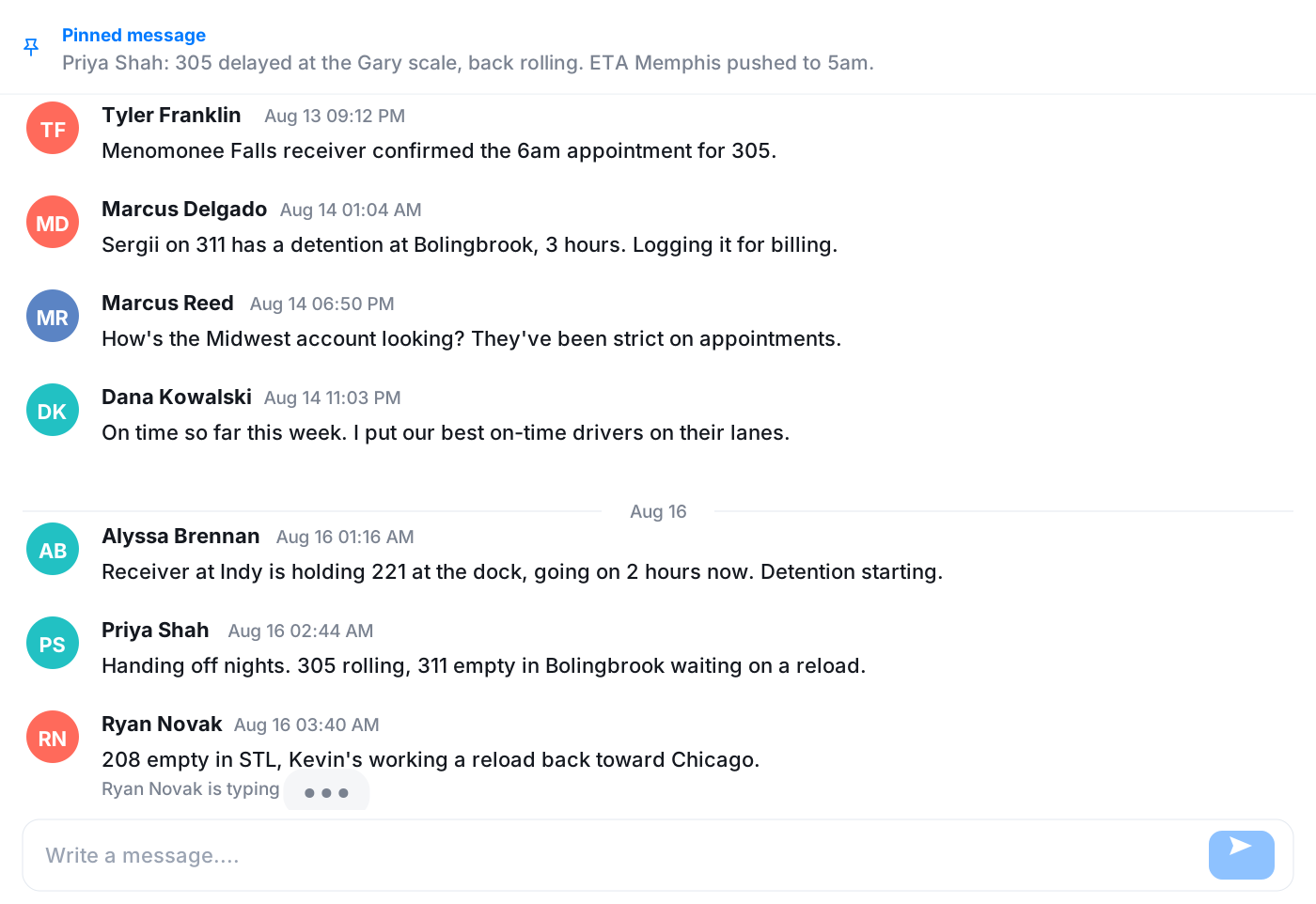
Talk to your team without leaving the app
Channels and direct messages keep the team in sync right next to the customer calls and texts. When typing is not fast enough, start a video meeting from the conversation.
- Channels and DMsA channel per team or project, plus one-to-one messages, with reactions and files.
- Video meetingsLaunch a meeting from any chat when a message thread is not enough.
- Share a call to chatDrop a call or a text into a channel so the right people see it.
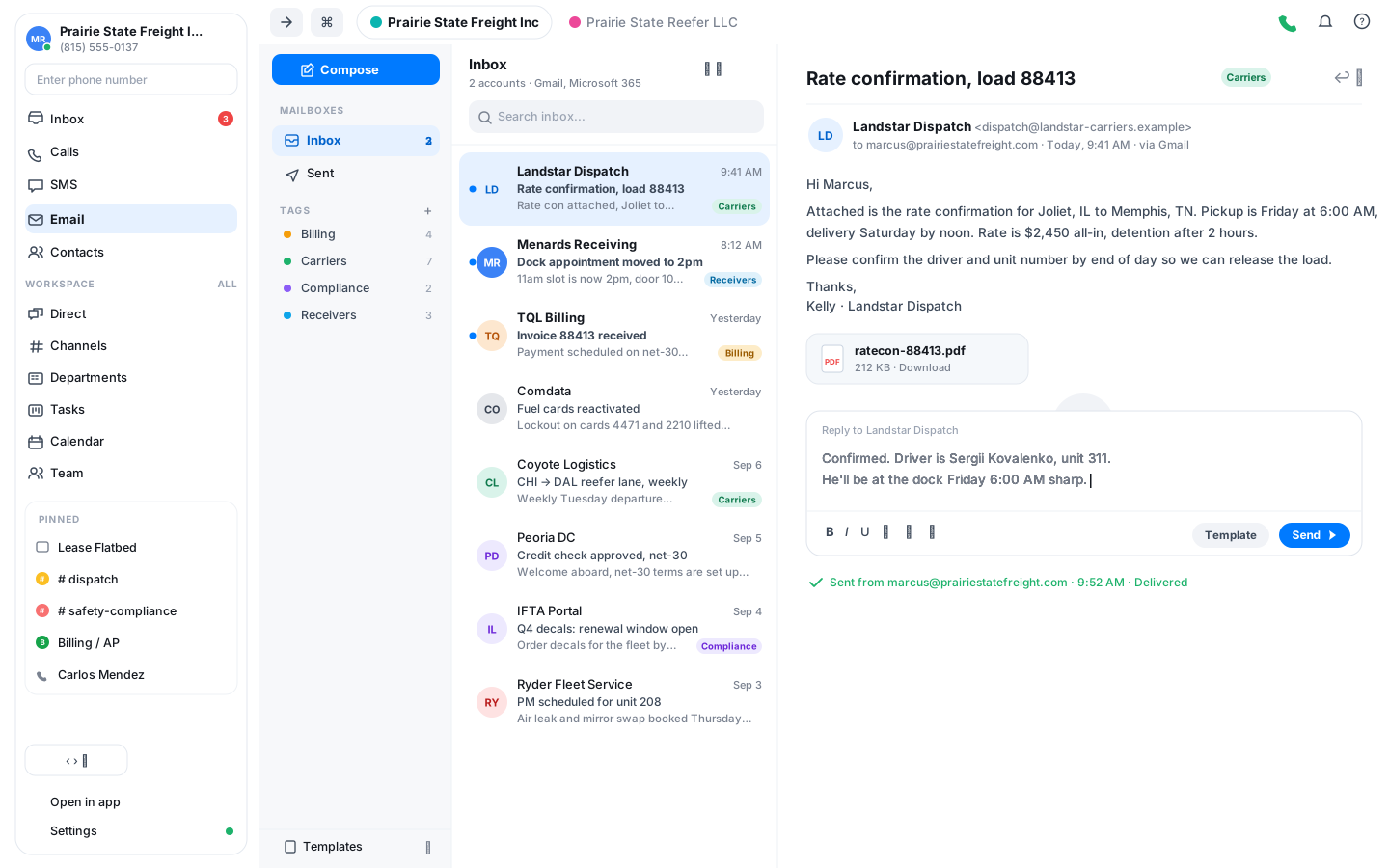
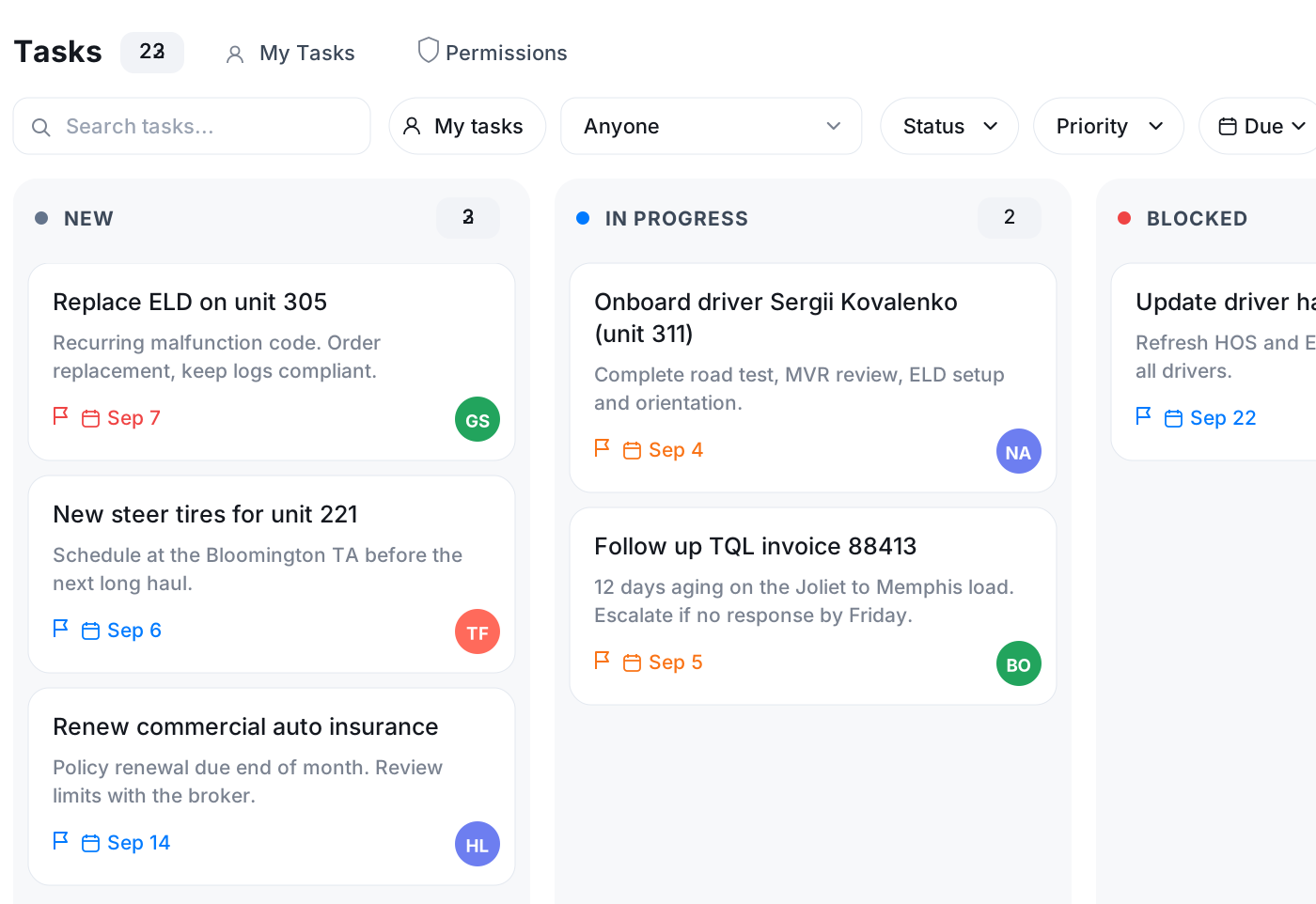
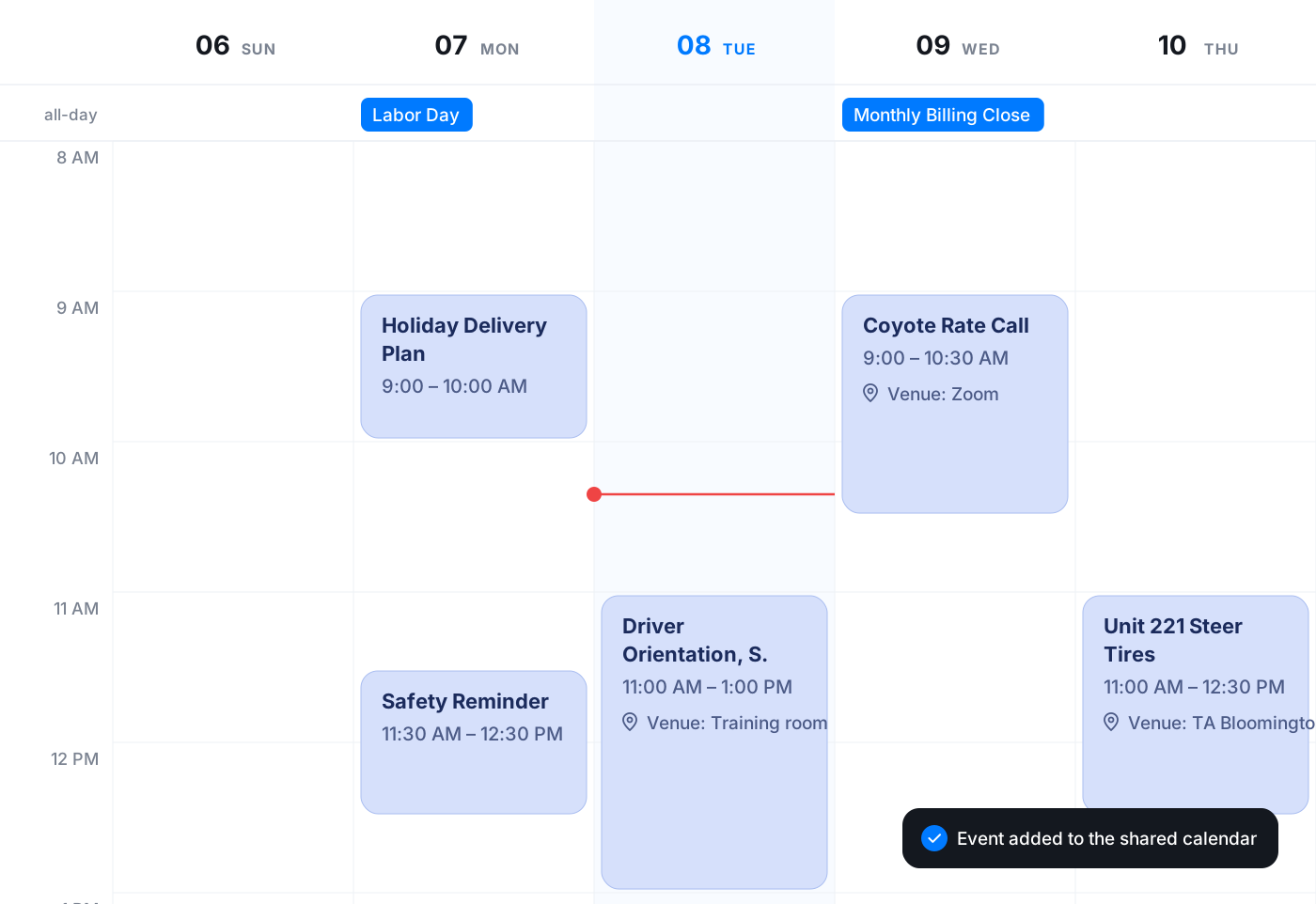
Email, tasks and calendar in the same sidebar
The follow-up work from a call happens where the call was, not in three other tabs.
See every live call, and step in when it matters
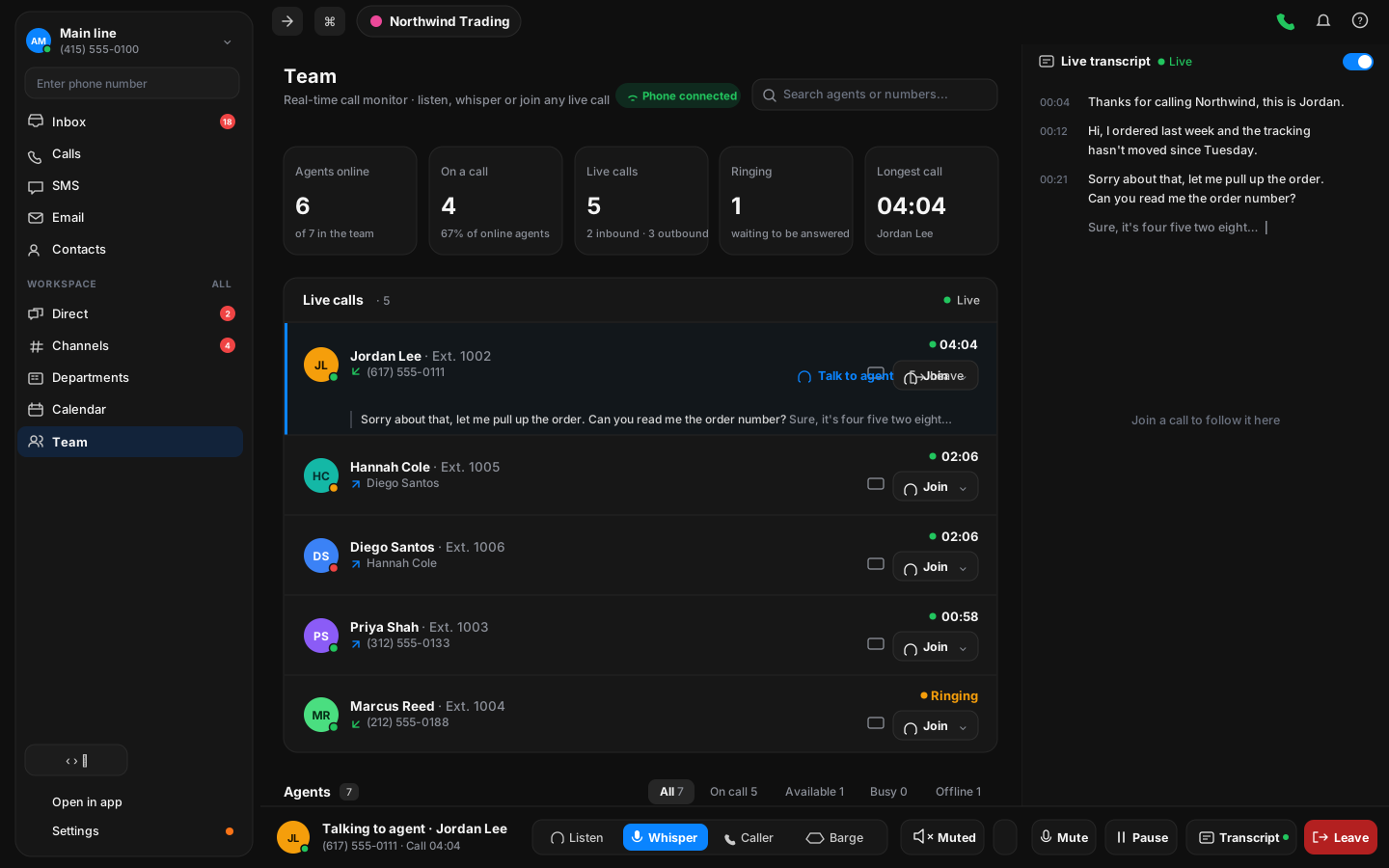
The Team page lists calls as they start, who is on them and for how long. Admins can join quietly, whisper to a teammate, or read along with the sound off.
- Listen in or whisperAdmins hear the live call and can talk to the teammate without the caller hearing.
- Live subtitlesFollow a call as it happens, under the call row, with the sound off.
- AnalyticsCall volume, answer rate and duration, and how they move over time.
Available everywhere you work
One account across desktop, mobile and the browser. Pick up a call on your phone, finish the note on your laptop.
Frequently asked questions
The short version. Reach out if you want the detail.
Try Vylo free for 7 days
Calls, SMS, email, team chat and AI call notes in one app.