Every policy call, written up and easy to find
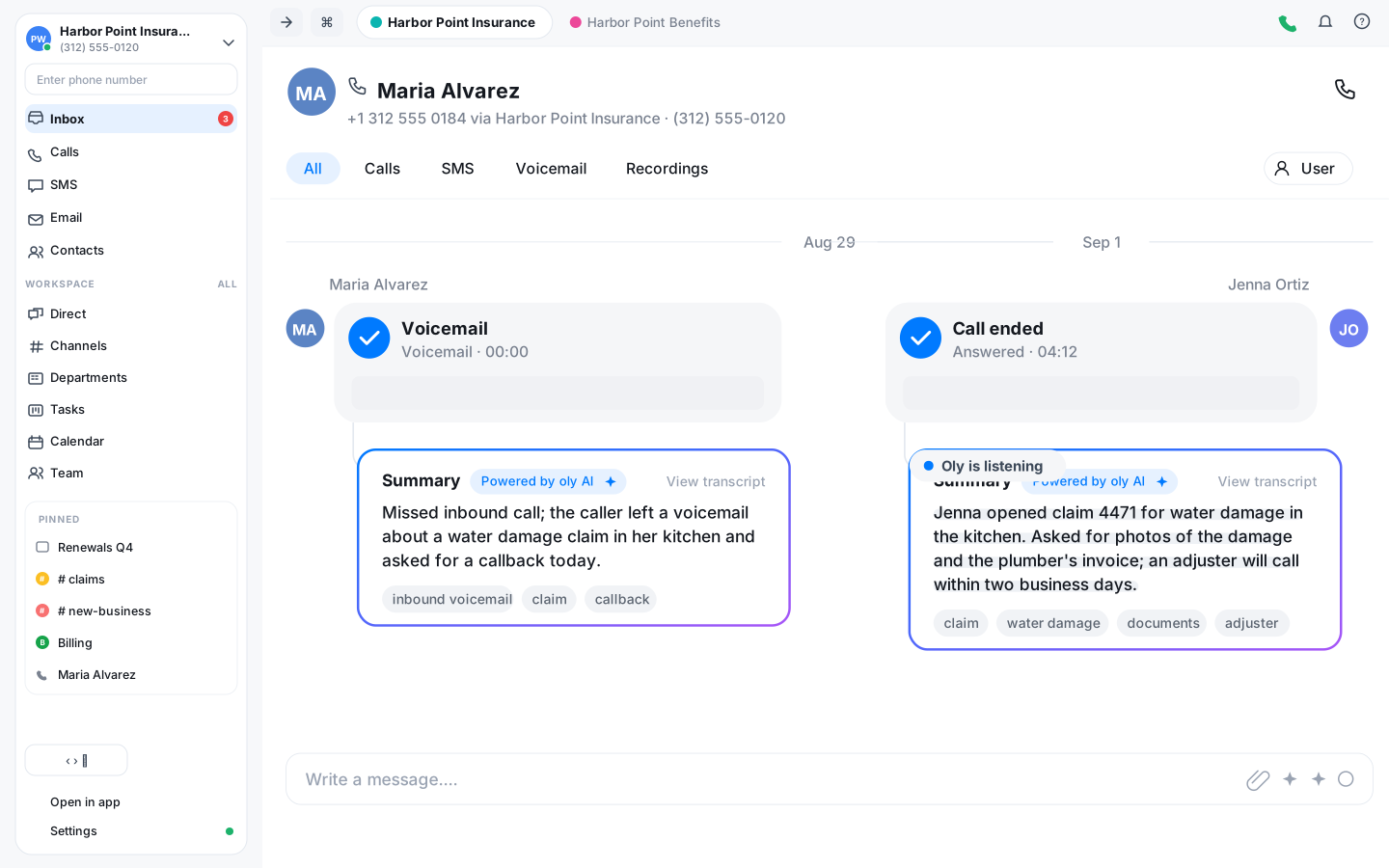
Claims, renewals and quote requests all come in by phone and text. Vylo records the call, Oly writes the summary, and the whole thread sits on the policyholder's timeline where the next person can read it.
A record of what was said
Calls on your office numbers can be recorded and transcribed. When a claim or a coverage question comes back months later, you read the transcript instead of relying on a sticky note.
Oly writes the summary
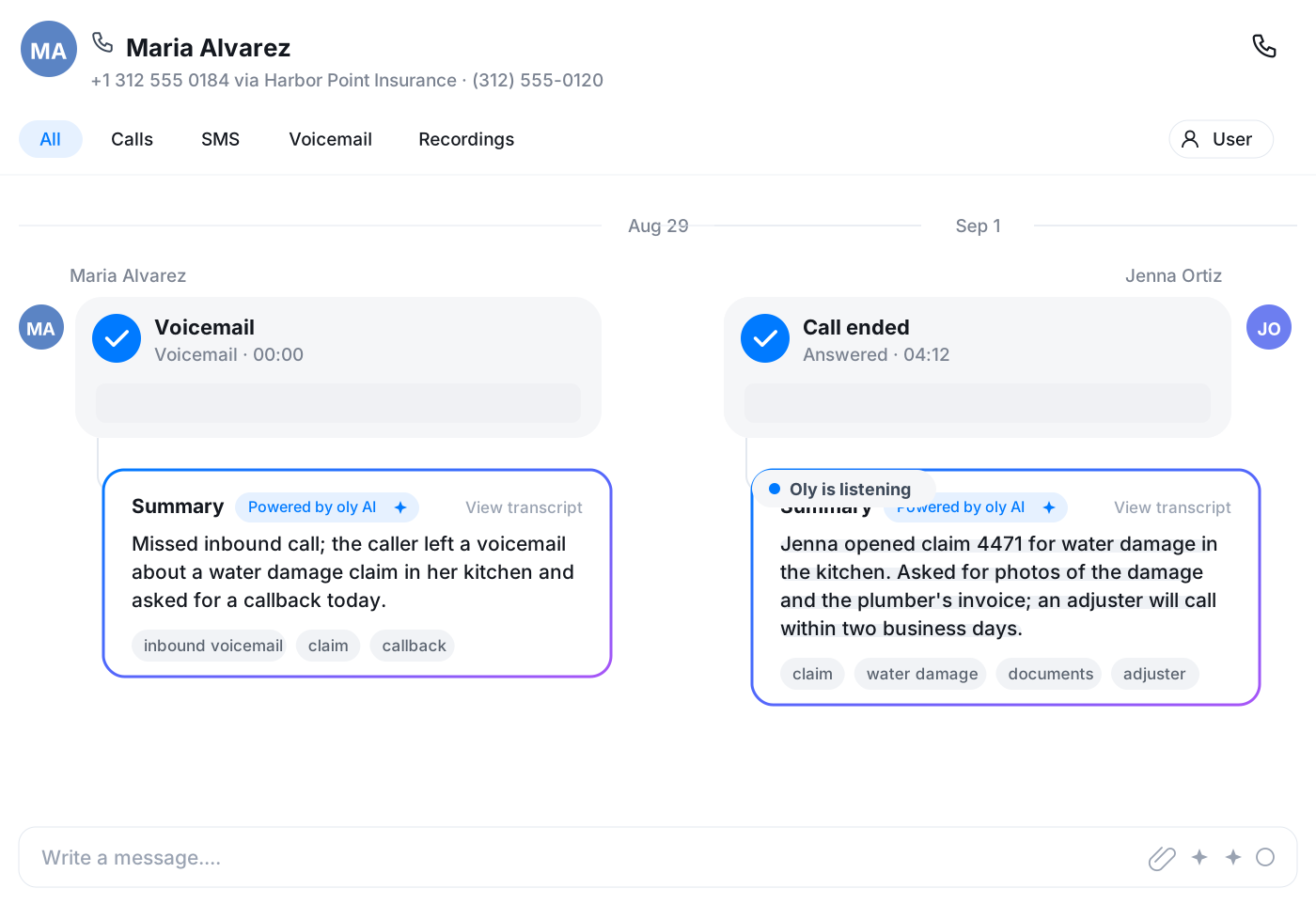
After each call Oly leaves a few lines on what the customer asked for and what was agreed, plus tags. The agent moves on to the next call instead of typing notes.
One inbox for the office
Calls, texts and voicemails from policyholders land in a shared inbox. Anyone on the desk can pick up a question a colleague started, with the history in front of them.
The whole policyholder relationship on one timeline
Open a contact and see every call, text and voicemail in order, each with Oly's summary attached. Before you call back about a claim you already know what was said last week and who said it.
- Calls, texts and voicemails per contact, in order
- Oly's summary and tags on every recorded call
- Voicemails arrive with a transcript
Text the documents request, get the photo back
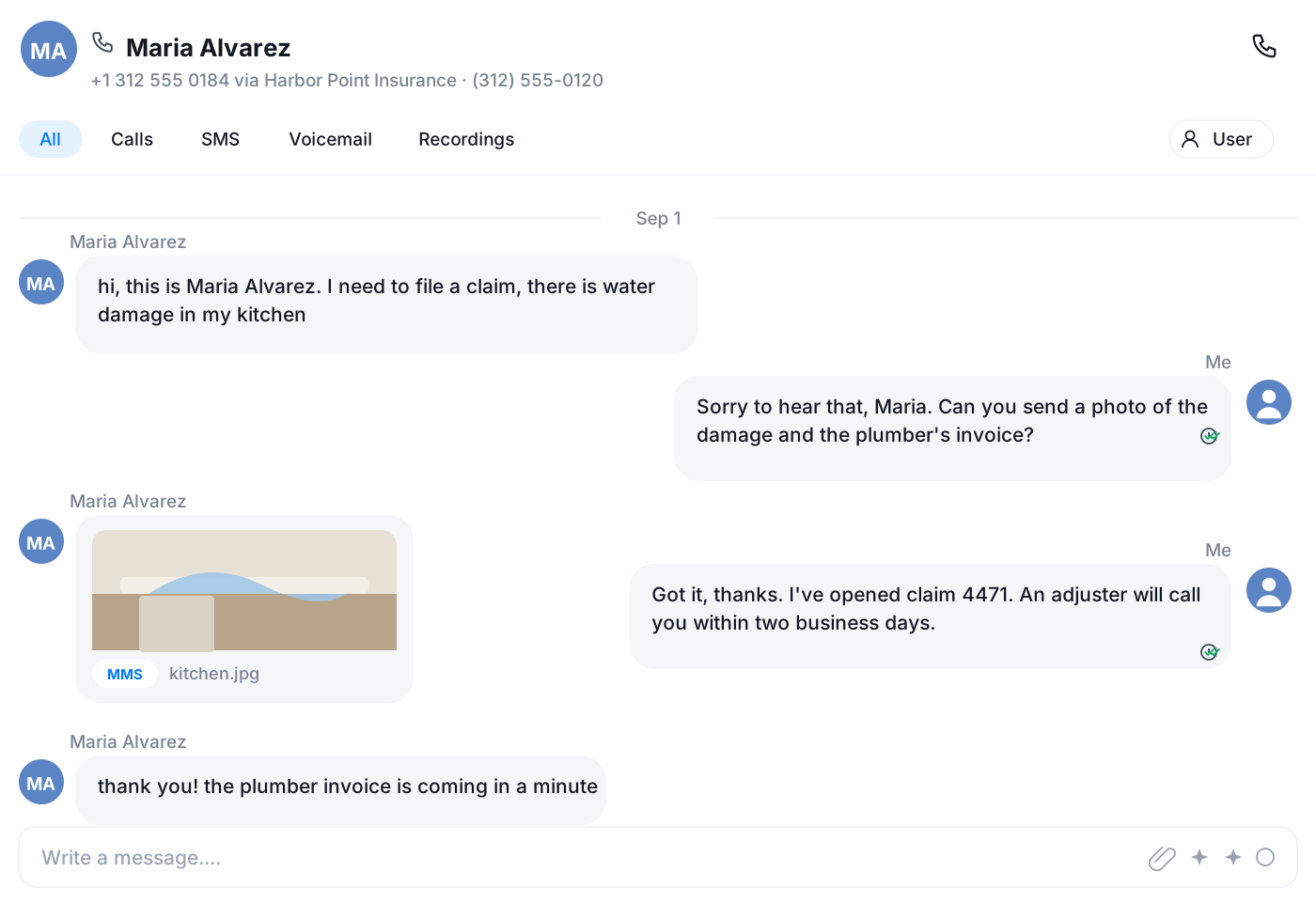
Ask for a photo of the damage or the current declarations page by text, from the office number. The reply comes back as MMS into the same thread, and the rest of the team sees it too.
- Two-way SMS and MMS from your business numbers
- Threads shared across the office, not on one phone
- 10DLC registration handled from settings
Renewals and follow-ups that don't slip
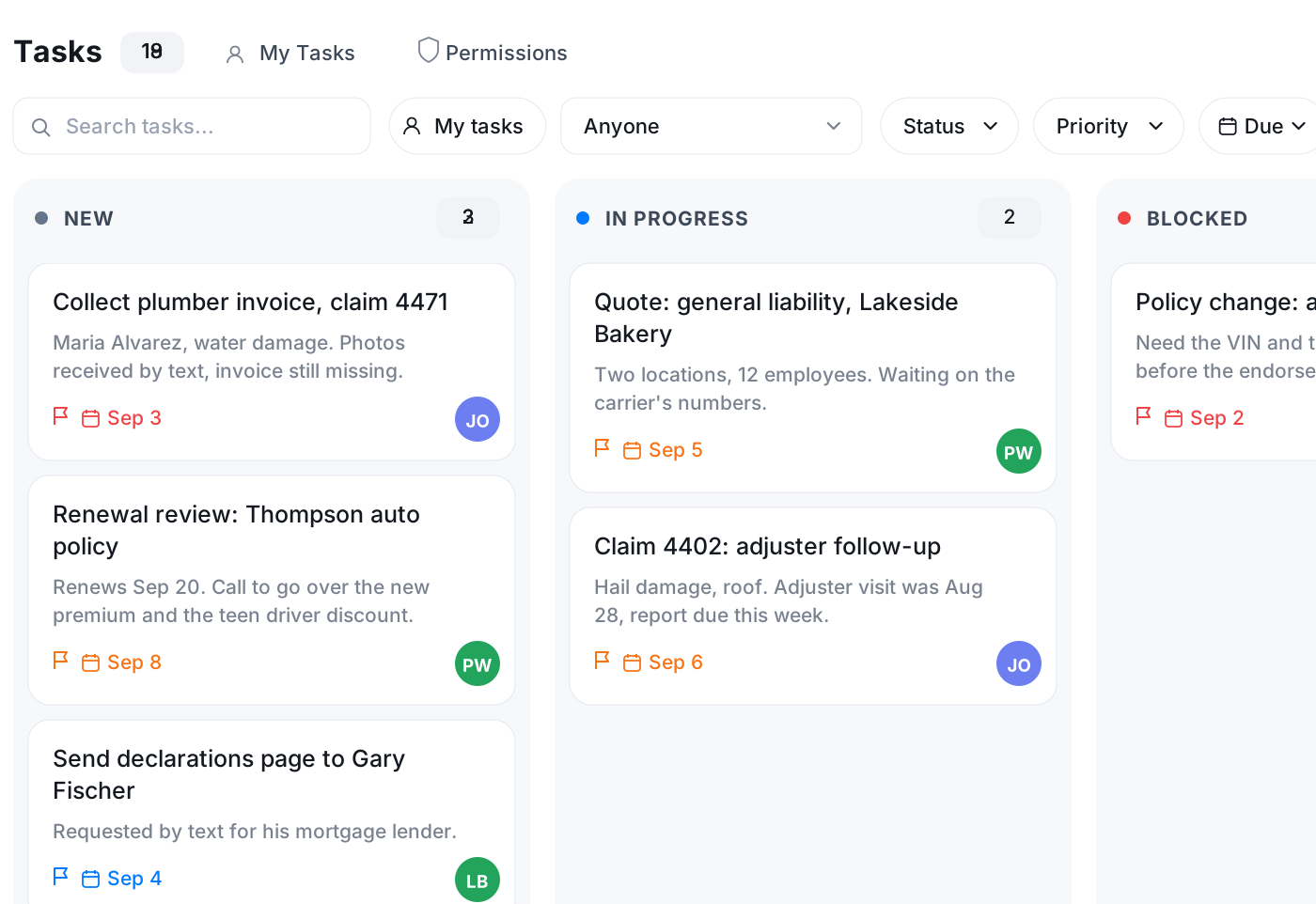
Create a task from the call to chase the signed form next week, with an owner and a due date. Put the renewal review on the calendar with a reminder. Send the confirmation from your own mailbox, inside Vylo.
- Tasks created from a call or text
- Calendar with reminders and Google sync
- Email from your Google, Microsoft or IMAP mailbox
Route callers to the right desk
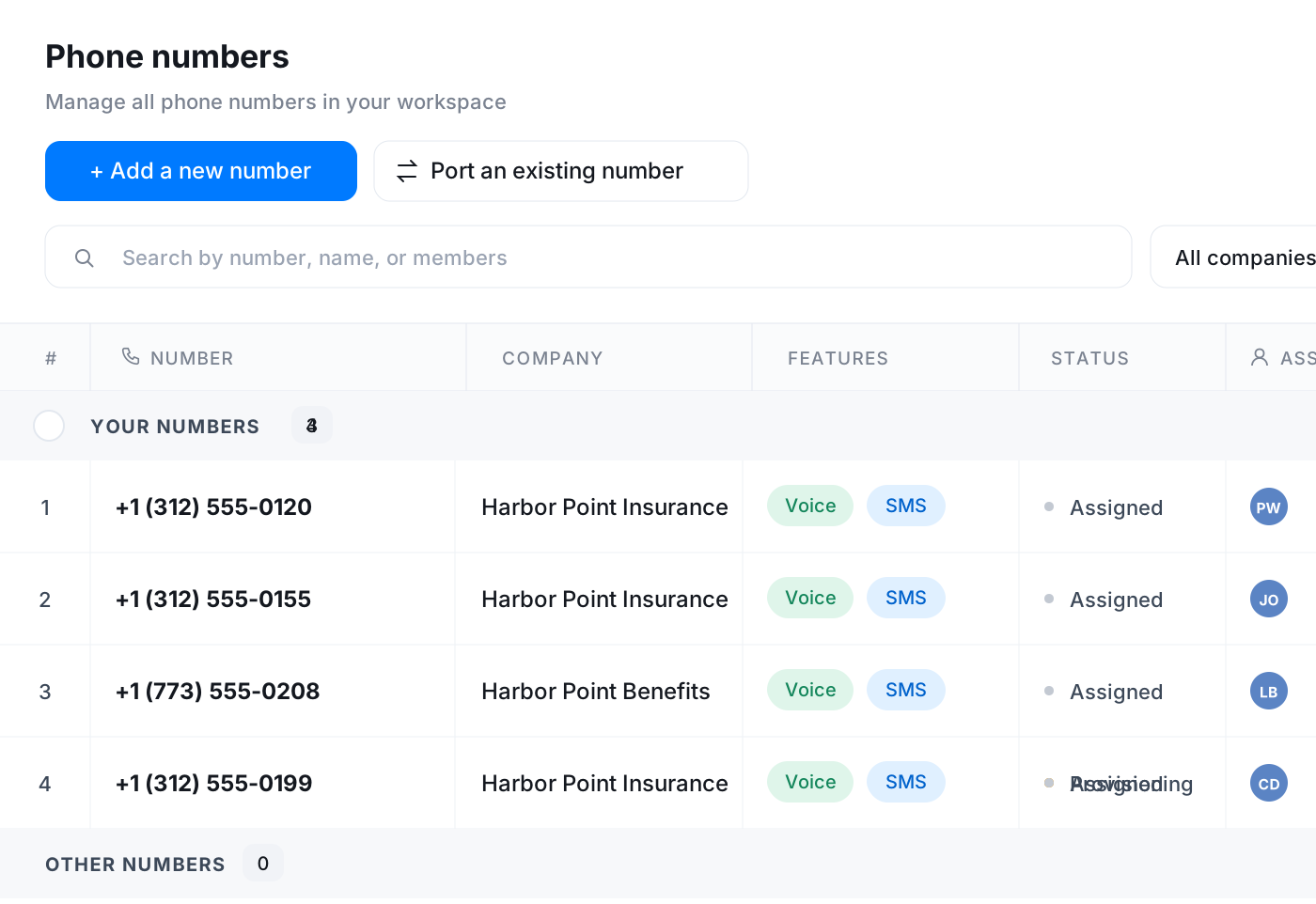
Claims, new business and billing rarely sit with the same person. Give each a number or a path in the call flow, set the business hours, and let voicemail with a transcript cover the rest.
- Numbers assigned to the people who answer them
- Business-hours and after-hours routing
- Voicemail transcripts to sort the callbacks
Frequently asked questions
Common questions about every policy call, written up and easy to find
Try Vylo free for 7 days
Calls, SMS, email, team chat and AI call notes in one app.