Carrier sales and customer calls, written up as they happen
Brokers live on the phone. Vylo records the calls, Oly writes the summary, and the text thread with the carrier sits right next to it. Every rep sees the same history, so a load doesn't fall apart when someone steps away.
Rate calls on record
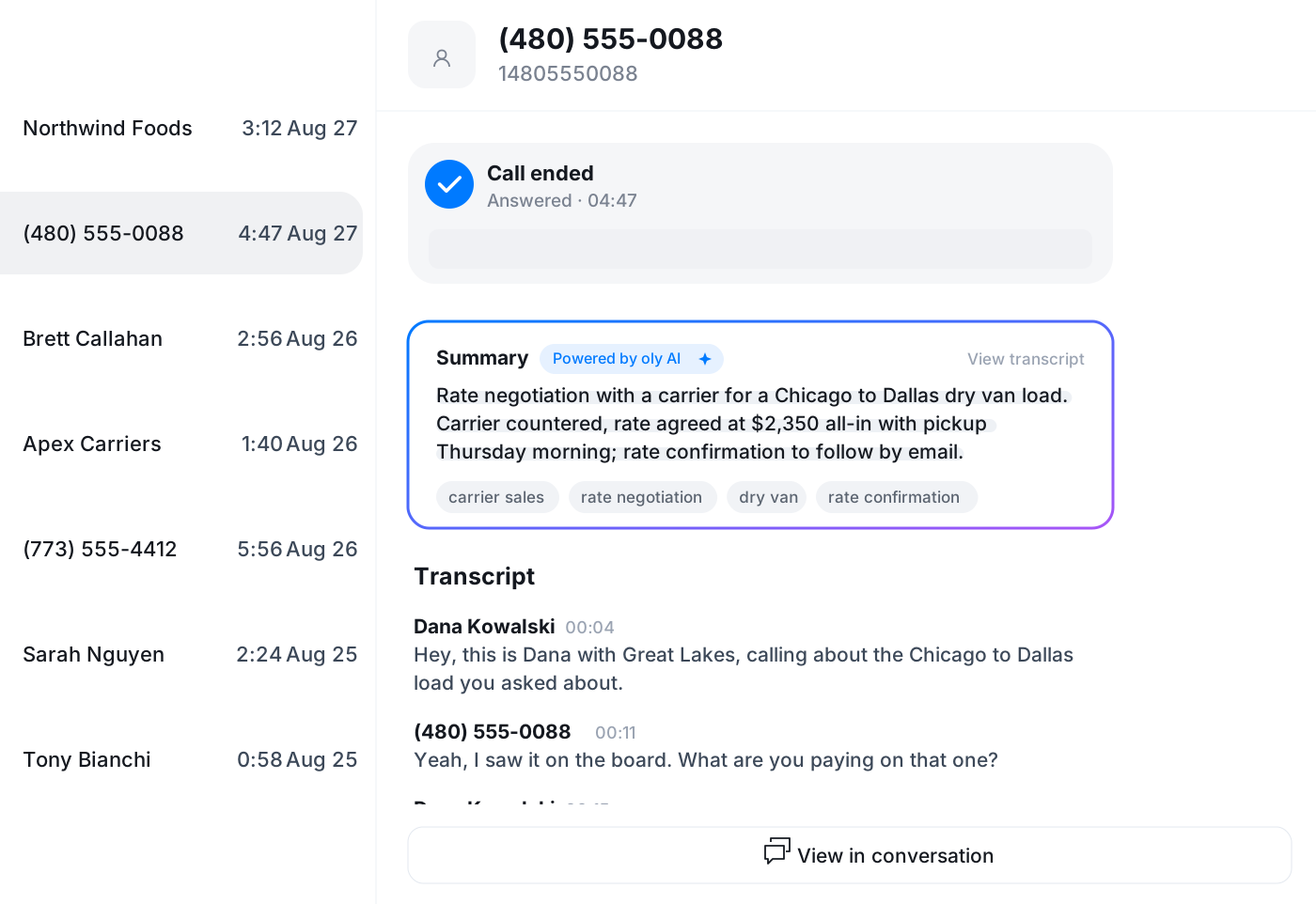
Carrier sales and customer calls are recorded and transcribed. When there is a question about what was agreed, you read the transcript instead of arguing from memory.
Oly tags the call
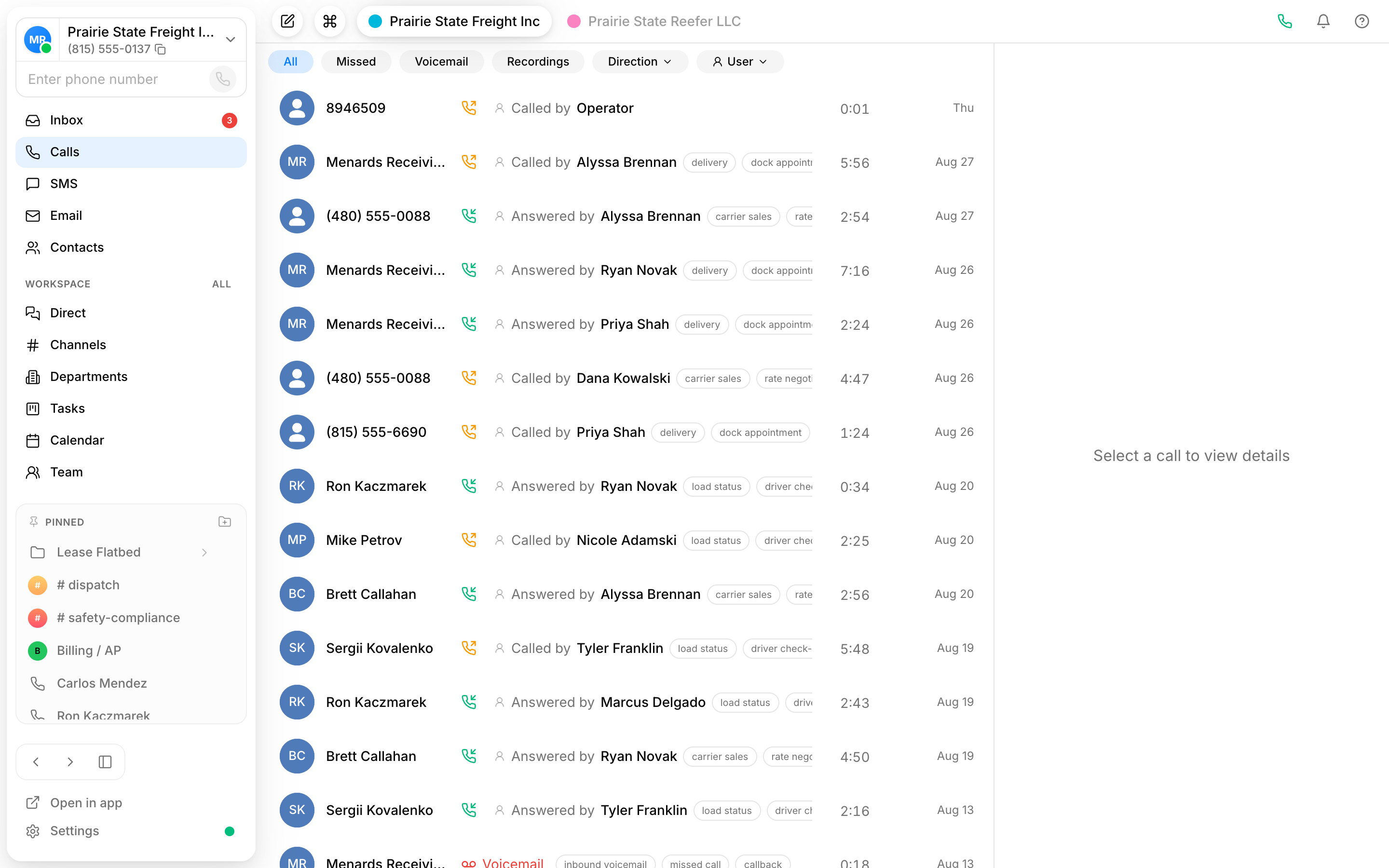
Each call gets a summary and tags such as carrier sales, rate negotiation or dock appointment. Scan the log at the end of the day and know what happened without listening to anything.
One inbox for the desk
Calls, texts and voicemails from carriers and shippers land in one shared inbox. Anyone can pick up a conversation a colleague started, with the full history.
Know what was agreed on every rate call
A carrier calls back to confirm the rate, or a receiver moves the appointment. The call is recorded, transcribed and summarized in a few lines with the tags that matter. Pull it up weeks later when the invoice comes in with a question.
- Transcript and summary on every recorded call
- Tags like carrier sales, rate negotiation, dock appointment
- Recording set per number, with an optional notice for callers
Cover the desk when a rep is out
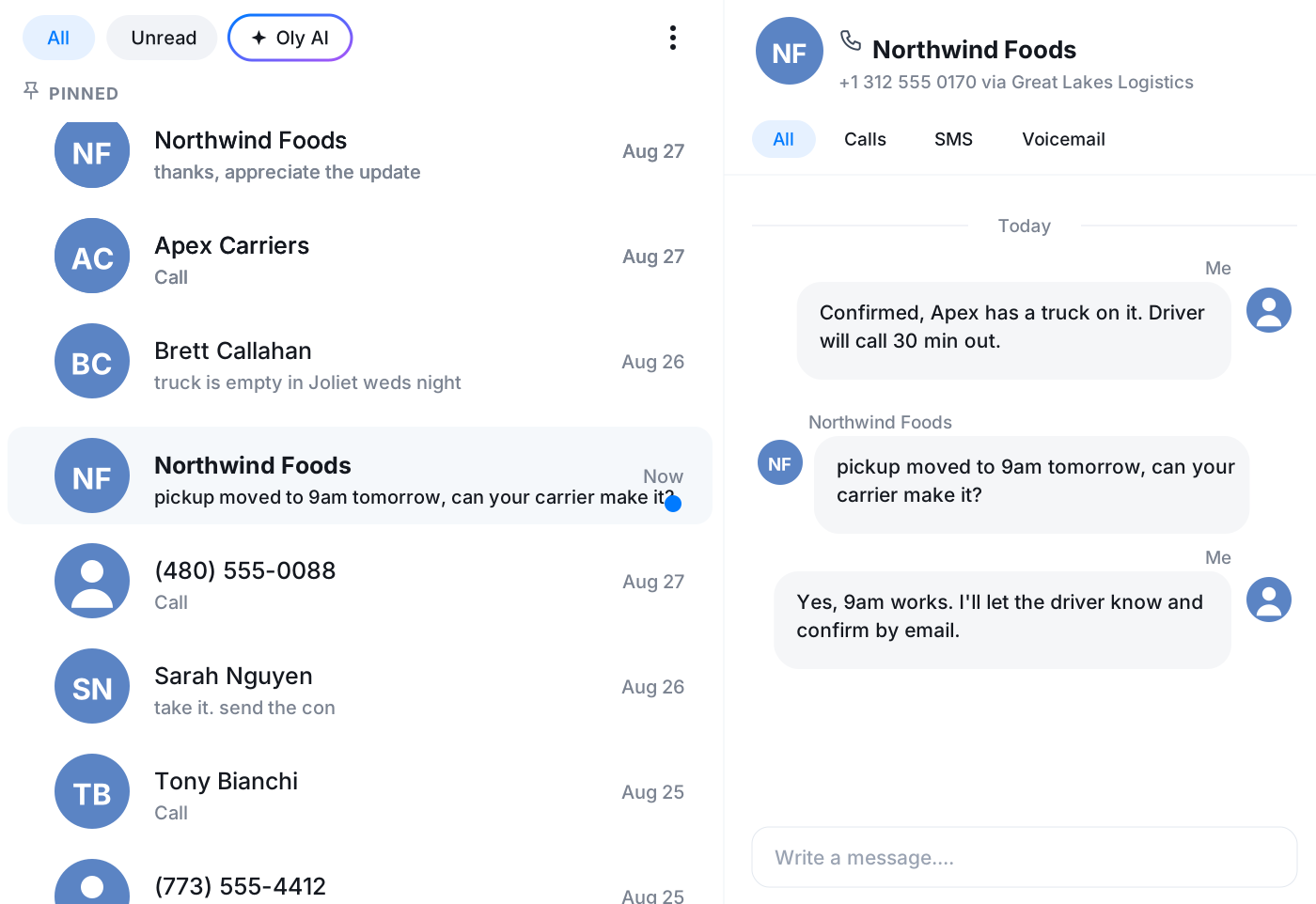
The inbox is shared. A shipper texts an update at 6am and the first person in sees it, replies from the same number, and the rep who owns the account reads it later with nothing lost.
- Calls, texts and voicemails in one shared view
- Reply from the company number, not a personal cell
- Oly's summary in the thread for a quick catch-up
Carrier and customer history in one timeline
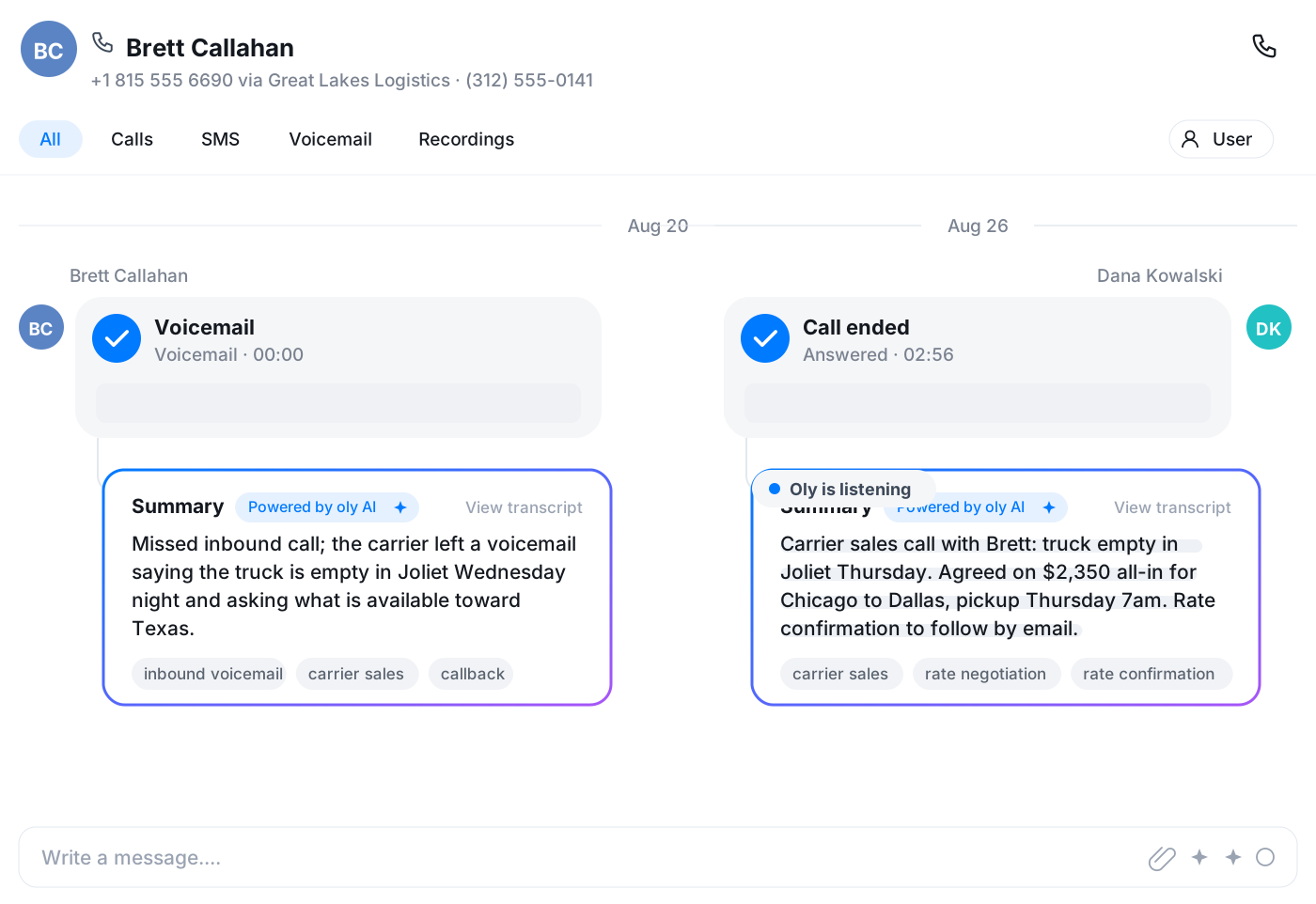
Open a carrier and see every call and text with them in order, with Oly's notes attached. Same for a shipper. Before you call about the next load you already know how the last three conversations went.
- One timeline per carrier and per shipper
- Voicemails with a transcript, no replaying
- Notes anyone on the desk can read
Coach new reps on live calls
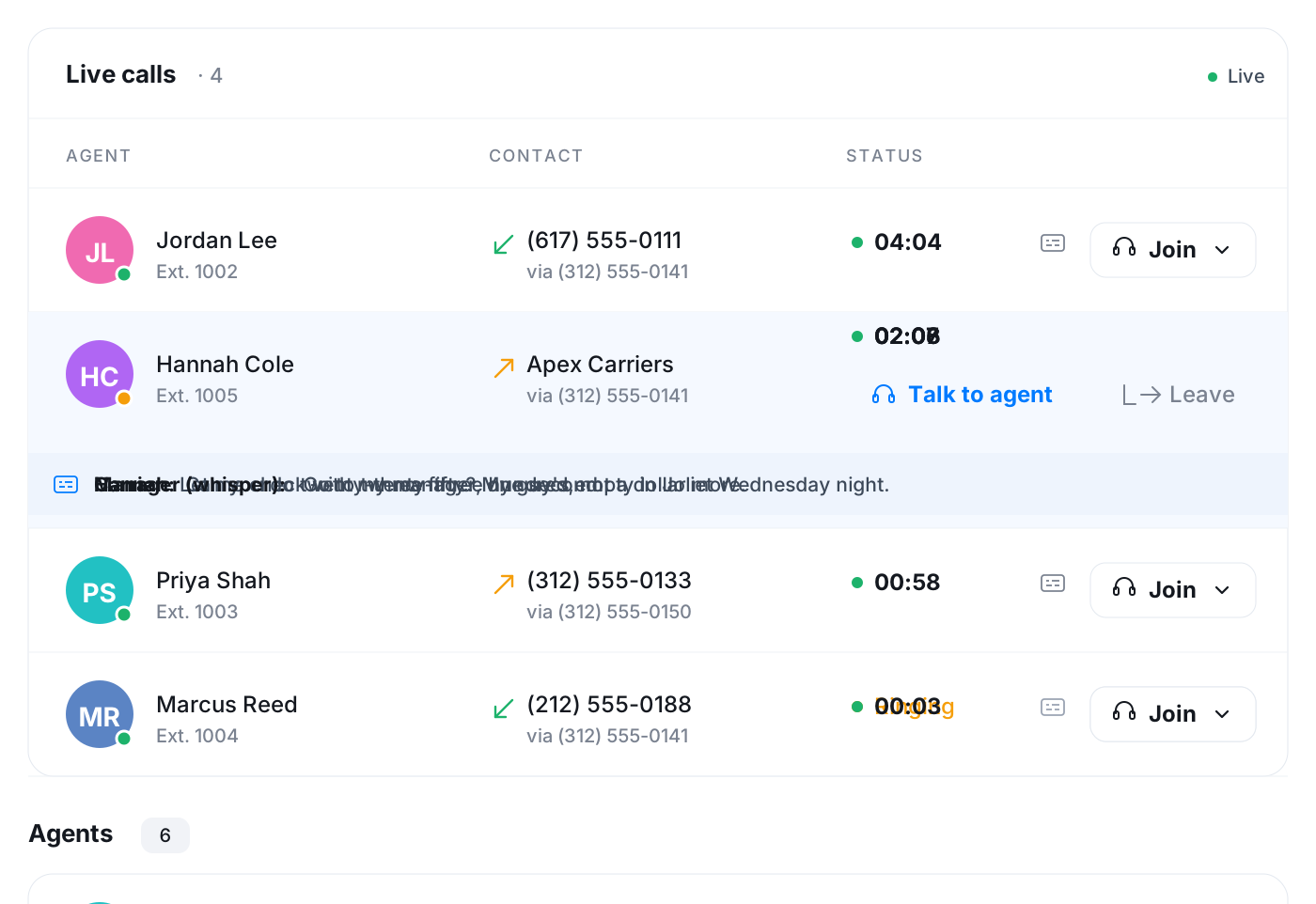
The Team page lists calls the moment they start. A manager listens in on a new rep's carrier call, whispers a counter that only the rep hears, or follows the live subtitles with the sound off.
- Listen in silently or whisper to the rep
- Live subtitles under any call in progress
- See who is on a call and who is free
Email, tasks and the calendar in the same window
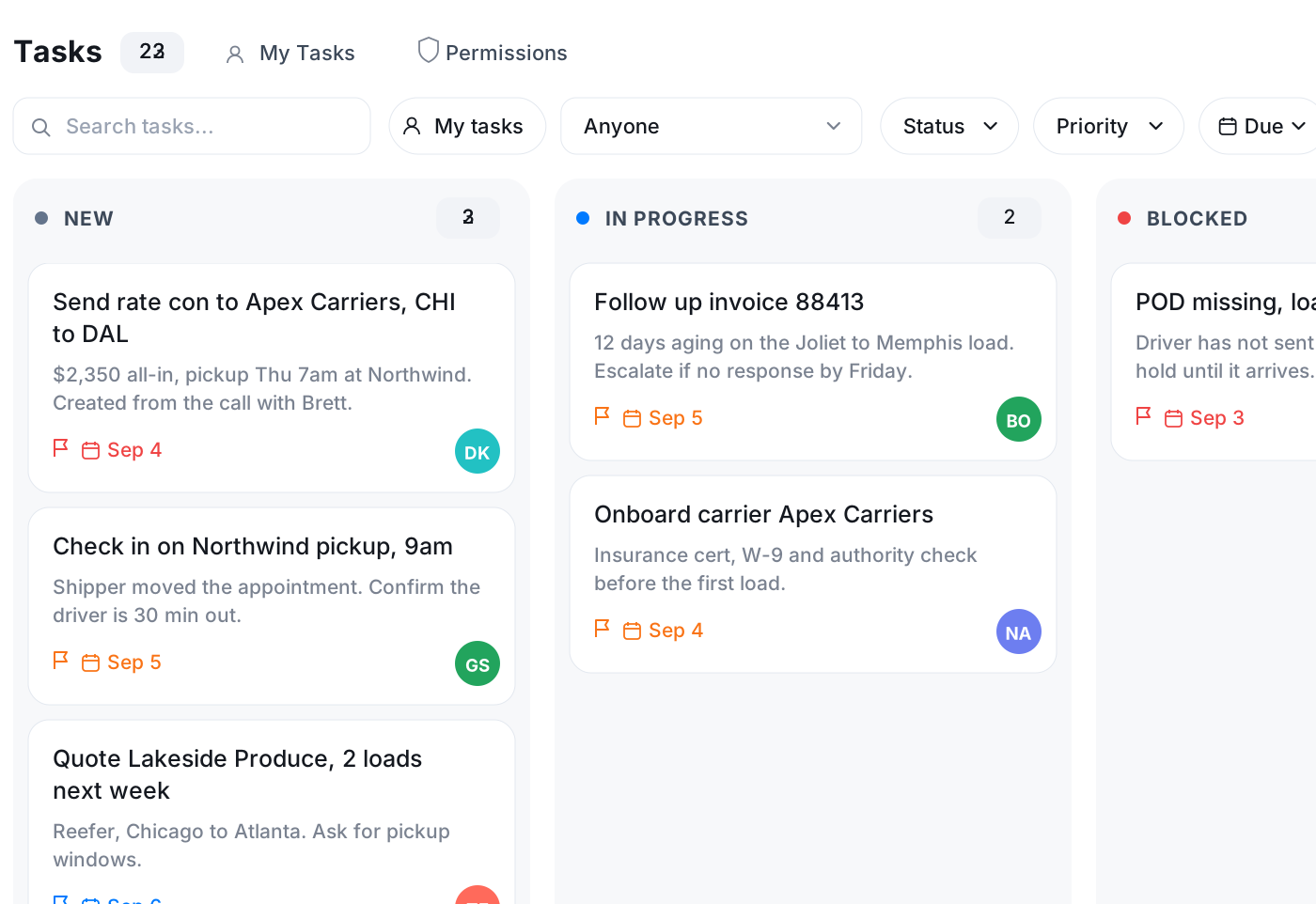
Connect your Google or Microsoft mailbox and send the rate confirmation from Vylo. Create the task to check on tomorrow's pickup from the same conversation, assign it and give it a due date. Put the delivery appointment on the calendar next to the call that set it.
- Email from your own address, inside Vylo
- Tasks created from a call or text, with owner and due date
- Calendar with Google sync and reminders
Frequently asked questions
Common questions about carrier sales and customer calls, written up as they happen
Try Vylo free for 7 days
Calls, SMS, email, team chat and AI call notes in one app.